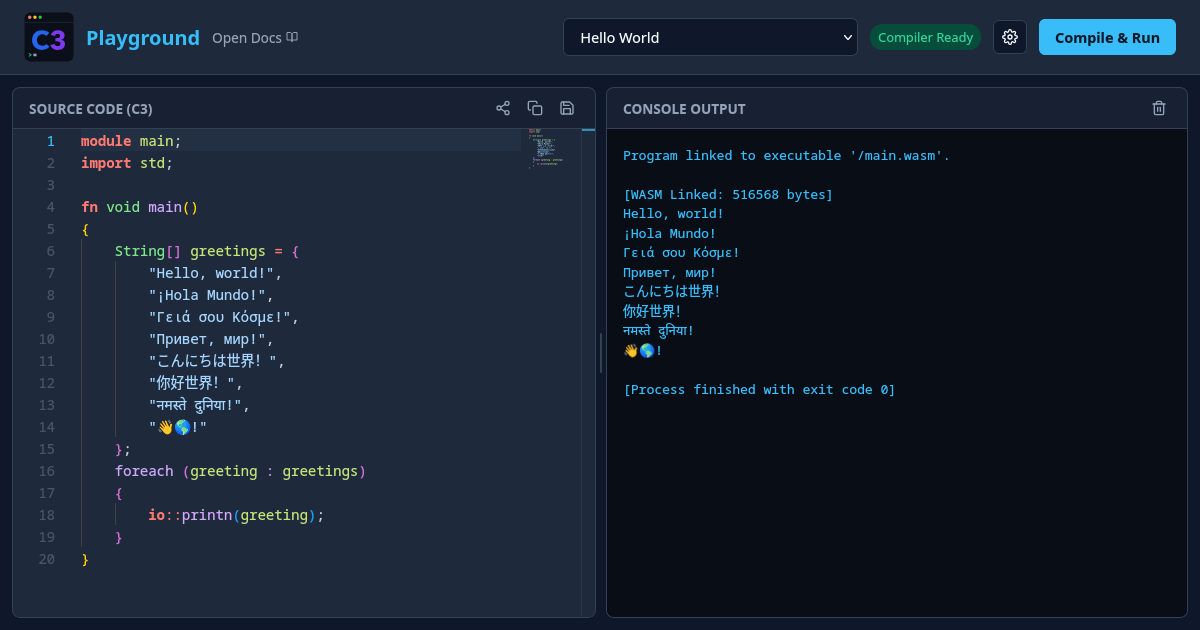
The C3 team launched an in‑browser compiler that instantly builds C3 code to WebAssembly and runs a demo visualizer with raylib6 graphics and real‑time audio at 44.1 kHz playground. The compiled module is about 960 KB and executes in a WebGL 2 context.
Instant try‑out
Open the URL, paste or edit the example, and hit Run. The console reports linking to /main.wasm (≈ 959 KB) and initialises raylib6 modules, displaying a 640 × 480 window. No local toolchain is required, making it ideal for quick experiments or teaching the language’s syntax.
What the stack includes
The playground bundles the C3 compiler, the raylib6 graphics library, and miniaudio for sound. It loads mandatory modules like rcore and optional ones such as rshapes and raudio. The demo renders 300 stars, uses a 44100 Hz audio stream, and demonstrates array aliases (e.g., Rgba = char<[4]>). All of this runs in the browser without additional downloads.
Caveats to keep in mind
The console logs two warnings: the WebGL environment lacks the VAO extension and has limited non‑power‑of‑two texture support (no mipmaps, no repeat). These constraints may affect more complex graphics or texture‑heavy projects. Also, the page does not list pricing, usage limits, or a public API, so you’ll need to rely on the hosted instance for now.
When to give it a spin
If you’re evaluating C3 for a startup project that needs quick prototyping of graphics or audio, the playground lets you validate the language and its library bindings without installing anything. For production‑grade builds, you’ll still need the full toolchain and a deeper look at WebGL compatibility.
What to watch: future releases may expose pricing tiers or a self‑hosted compiler image, which would broaden its usefulness for CI pipelines.