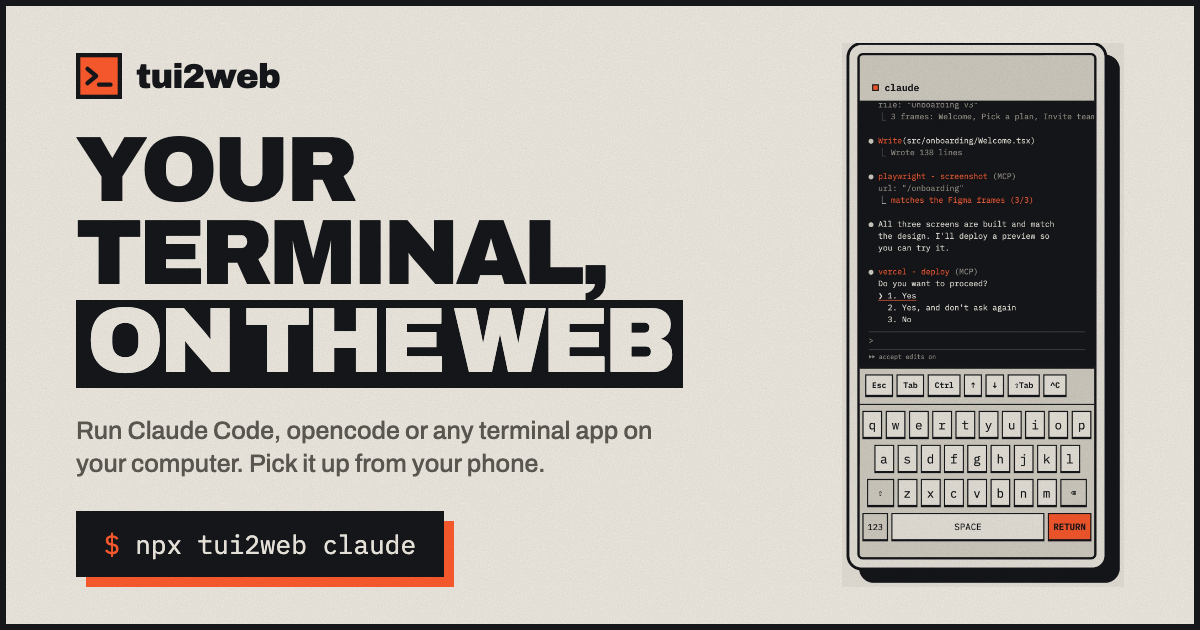
tui2web lets you prefix any command with tui2web and instantly prints a private link and QR code that streams the terminal UI to a mobile browser. Press Ctrl+\ to bring the link back while the app runs.
How the connection is built
The tool makes an outbound HTTPS connection to the tui2web.com relay, similar to ngrok, so you never need to open ports, configure VPNs, or set up SSH tunnels. Your phone connects to the same relay over HTTPS and joins the session using the unique link or an optional password.
Anything that runs in a terminal works
Because tui2web simply forwards the stdout of the process, any CLI that displays a TUI works: Claude Code, Codex, opencode, Gemini CLI, Vim, or a plain shell. Full‑screen apps stay in sync, and keystrokes from both laptop and phone are merged into the same session.
Security considerations
Each session gets a random ID and secret token; the link is unguessable and can be protected with a password via tui2web set-password. Traffic is encrypted end‑to‑end, but the public relay can see the session contents. If that matters, run the relay yourself or enable the --tailscale option so the relay runs on your machine and only Tailscale‑authenticated devices can connect. Treat the link like a password and close the session when finished.
Cost and how to get started
tui2web is free and open source under the MIT license; the CLI, relay, and web viewer are all hosted on GitHub. Install with npm install -g tui2web, then run tui2web <command> (e.g., tui2web claude). Updates are a simple npm install -g tui2web@latest.
What to watch – The public relay can view everything you type, so for sensitive workflows either self‑host the relay or use the Tailscale mode. When you need to approve long‑running agents from a coffee break, give it a try and keep an eye on link handling.