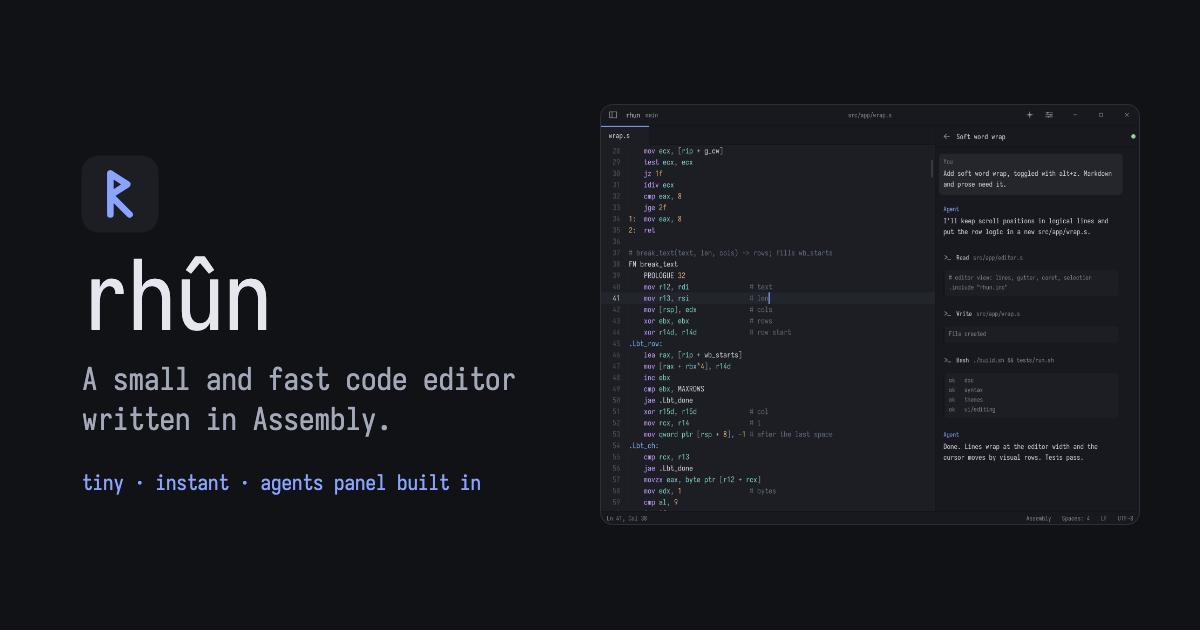
The rhun project released a binary version of its editor—a fully functional IDE written entirely in x86‑64 assembly—accessible through a one‑liner curl command that pulls the latest install.sh script.
What rhun is
rhun positions itself as a "small, fast code editor" that keeps the binary footprint tiny by being written in assembly. It offers the usual comforts of a modern editor: tabs, syntax highlighting, fuzzy file search, and an optional Vim mode, all without the bloat of larger Electron‑based tools.
Built‑in capabilities
- Terminal emulator – 24‑bit color, scrollback, mouse reporting, and alternate‑screen support.
- Git integration – staging, diffs, commit history, and AI‑assisted commit messages using a local model or a Claude Code / Codex subscription.
- Themes – 39 light and dark themes with automatic switching via Omarchy, plus full color customization for both editor and terminal.
Installing on your workstation
The editor is packaged for Windows, Linux, and macOS. On Linux/macOS you can run:
curl -fsSL https://github.com/vshvedov/rhun/releases/latest/download/install.sh | sh
On Windows PowerShell the command is:
powershell -NoProfile -ExecutionPolicy Bypass -Command "& ([scriptblock]::Create((Invoke-WebRequest -UseBasicParsing https://github.com/vshvedov/rhun/releases/latest/download/install.ps1).Content))"
Both installers are hosted on GitHub; the project’s homepage is at the rhun website.
Things to watch
The announcement does not include any pricing details or usage limits, implying the tool is free but leaving cost considerations for AI‑assisted features ambiguous. Additionally, because the editor is written in assembly, extending it with plugins may be more complex than with typical scripting‑based editors.
When to try it
If you need a lightweight, self‑contained editor on a startup laptop and are comfortable with a minimal plugin ecosystem, give rhun a spin after the next commit. Keep an eye on the repo for future feature updates or pricing announcements for the AI commit‑message service.