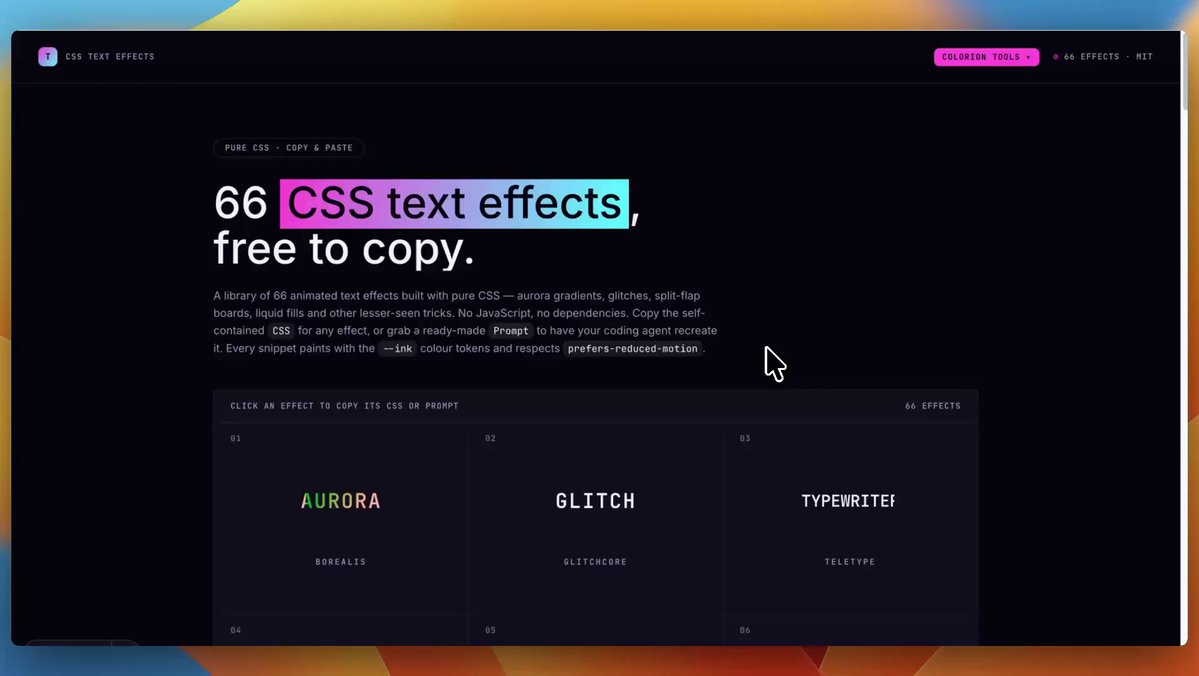
The open‑source CSS text‑effects library announced today that it now ships 66 ready‑to‑use effects, nine more than the previous release. The project provides raw CSS snippets and an AI‑ready prompt that can be dropped into any code generator.
What the library adds
The new effects cover gradients, shadows, neon glows, and animated fills. Each entry is a single CSS block that can be copied verbatim, and the companion prompt is formatted for tools like Claude or ChatGPT, making it easy to generate variations on the fly. The full list lives at the project's site text‑effects.
Quick integration steps
- Browse the catalogue and click an effect to copy its CSS.
- Paste the snippet into your component stylesheet or a global style file.
- If you prefer AI assistance, copy the provided prompt and feed it to your favorite coding assistant to tweak parameters such as duration or color.
Because the library is pure CSS, there are no runtime dependencies or JavaScript bundles to import, which keeps bundle size low for most use cases.
Caveats to consider
The effects rely on newer CSS features (e.g., background‑clip: text, filter, and @keyframes). Older browsers may fall back to plain text, so you should verify compatibility if you need to support legacy environments. Additionally, the repository is maintained by a single contributor; future updates could be slower than a larger community‑driven project. The AI‑prompt convenience is helpful, but it may generate overly complex code if not reviewed.
When to try it
If you are iterating on a marketing page, landing‑page hero, or internal dashboard where visual flair adds value, pull a snippet into a sandbox component and test on your target browsers. Monitor the project's tweet thread for upcoming patches or new effect releases.
What to watch – the author hinted at a next version that will bundle responsive variants and a small npm package; keep an eye on the tweet announcement for the release timeline.