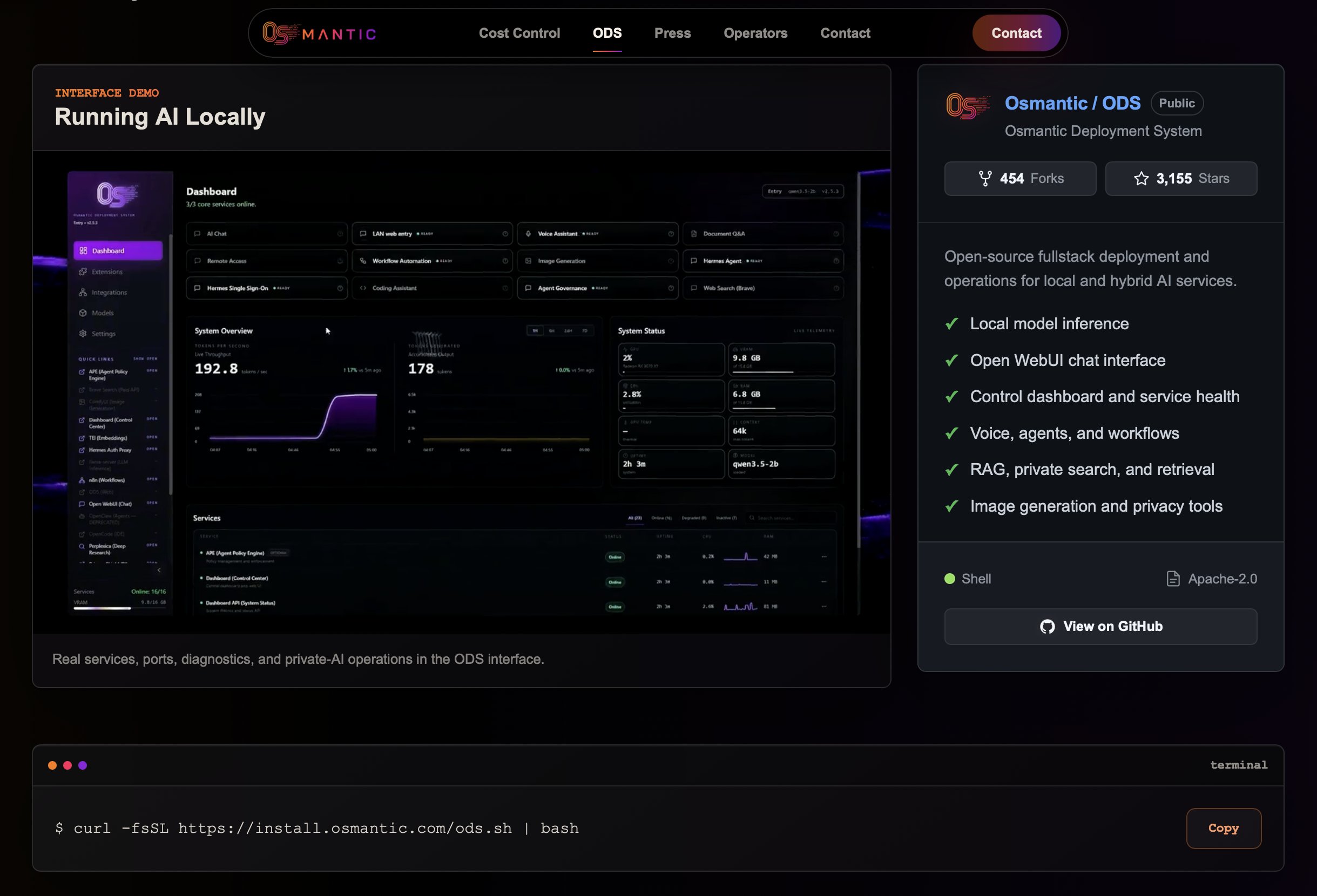
ODS, a newly announced local‑AI stack, promises a single command that detects your CPU/GPU, downloads the best‑matching model, and starts an Open WebUI for inference. The tweet announcing it lists a checklist: install ODS, let it auto‑detect hardware, fetch the model, and you’re ready to run voice agents, RAG, image generation, and more on a private machine.
What ODS actually does
- Hardware detection – ODS runs a quick probe of your system and decides whether to pull a lightweight CPU model or a GPU‑accelerated version.
- Model selection – It contacts a curated list of pre‑quantized models and selects the one that balances speed and quality for your device.
- Dashboard – A web‑based UI bundles voice, agents like Hermes, RAG pipelines, and image generation under a single pane, reducing the need for separate services.
- No cloud, no subscription – All data stays on the host unless you explicitly enable remote sync.
Trade‑offs to consider
While the convenience is appealing, there are a few caveats. First, the auto‑selected model may be a quantized variant that sacrifices fidelity for speed, which could be noticeable in image generation or complex reasoning tasks. Second, hardware detection is limited to common GPUs; exotic accelerators (e.g., Apple Silicon) may fall back to CPU, leading to slower response times. Finally, the bundled Open WebUI is opinionated – extending it with custom pipelines may require digging into ODS internals, which could be a barrier for teams without dedicated ML ops.
Cost and licensing
ODS is offered as an open‑source package with no subscription fee. The only cost is the compute resources you run locally, which can be significant for GPU‑heavy workloads. Because it pulls models from public repositories, you’ll need to watch the licensing of each model you use.
When to give it a spin
If your startup needs a private LLM endpoint for prototyping or internal tooling and you want to avoid cloud‑provider lock‑in, try ODS on a dev box with a mid‑range GPU. Verify that the default model meets your quality bar before scaling to production. Keep an eye on the project's GitHub (if it appears) for roadmap updates and community‑contributed extensions.
Source: Ahmad's tweet