Anthropic just released Claude Security, a free plugin for Claude Code that scans your codebase for vulnerabilities without leaving your terminal. If you're a bootstrapped founder shipping code solo—or a small team without a dedicated security person—this changes what you can afford.
Here's what you need to know.
What It Does: Scan, Validate, Patch
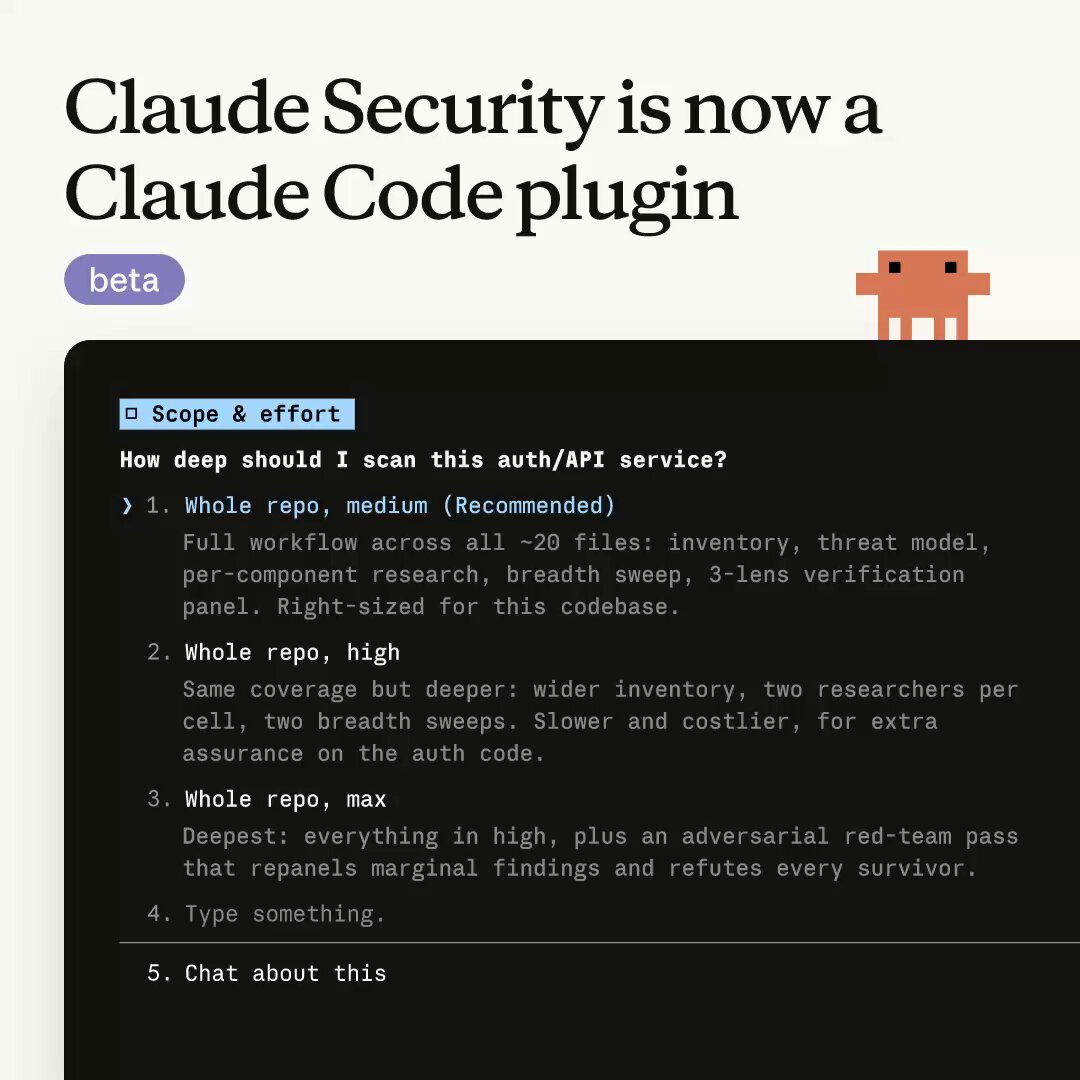
Claude Security runs directly inside Claude Code sessions. To use it, invoke /claude-security and select from three options: scan your entire codebase, scan only recent changes (a branch diff or PR), or have it suggest patches for vulnerabilities it finds. The plugin runs multi-agent scans locally—meaning your code never leaves your infrastructure—then suggests fixes for you to review and approve.
Unlike legacy security tools that stop at flagging problems, Claude Security proposes targeted patches for human review. You maintain full control; patches are never applied automatically.
Why This Matters for Founders
Traditional SAST tools like Snyk cost $25 per developer per month ($300/year for solo founders), while Veracode starts at $15,000/year minimum. For teams of 10-20 developers, these tools run $500-1,000/month. Claude Security uses your existing Claude API connection—no separate service to set up, no enterprise sales cycle.
For bootstrap founders, Claude Security is the first genuinely affordable option. You get AI-powered vulnerability scanning that understands context across multiple files (catching cross-file security issues that regex-based scanners miss) for the cost of a few extra tokens on your existing Claude bill. Solo developers save $250-15,000/year.
The underlying model is Claude Opus 4.8 ($5 input / $25 output per million tokens on the API). A typical diff of a few hundred lines will cost a few hundred tokens; a full-repo scan on a medium-size project may run into the low thousands. That's a few dollars, not hundreds per month. Token usage varies by repository size; check your account dashboard to forecast costs.
How to Enable It
Install the plugin inside any Claude Code session:
/plugin install claude-security@claude-plugins-official
Then activate it:
/reload-plugins
Once active, run /claude-security to open the menu. For most teams, the typical workflow is: full scan once to establish a baseline, then scan changes before commits to catch new vulnerabilities early.
Real Limitations Worth Knowing
This is beta software. The plugin only understands parseable code; binary assets and generated files are ignored. Like all scanning tools, it may produce occasional false positives on custom or uncommon dependencies—treat findings as a helpful signal, not a complete audit.
The plugin is available in beta for all Claude Code users. Organization admins enable it through the admin console. No separate access tier or waiting list required.
When to Try It
If you already use Claude Code and want to catch security issues before they reach production, enable this plugin on a single repository first. Run it as part of your pre-commit workflow for a week. Monitor token usage and signal quality (how many findings are actually relevant vs. noise). If the ratio works for your team, expand to CI pipelines.
The philosophy is simple: security scanning shifts left—closer to the moment code is written—rather than waiting until a dedicated security review or a production incident exposes the vulnerability.
For founders who can't afford a security engineer, Claude Security is the closest thing to having one review every commit.
Resources: - Scan your codebase for vulnerabilities — Claude Code Docs - Claude Security Product Page