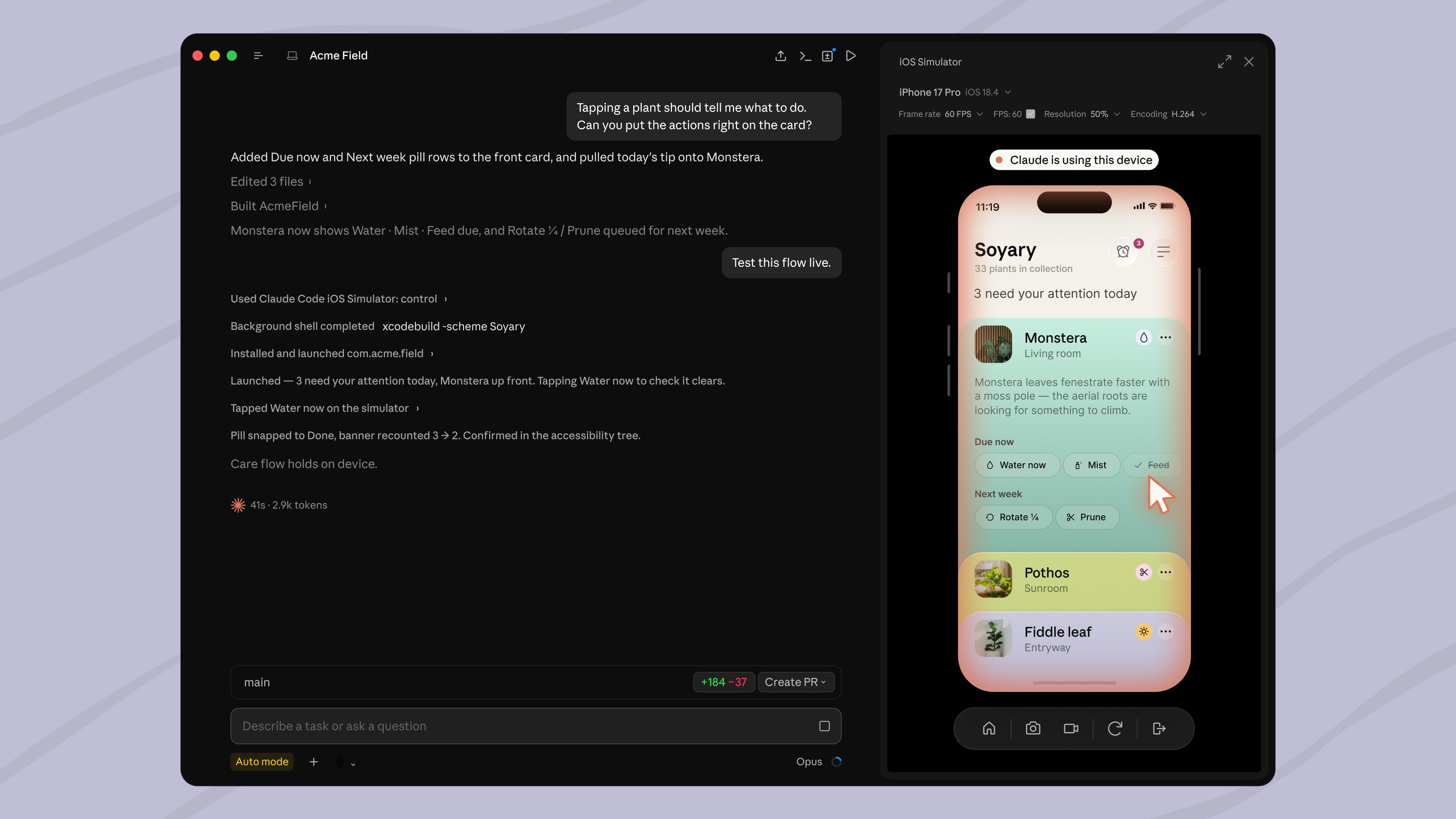
Claude Code on desktop now opens the iOS simulator in a panel next to your conversation, and the feature is available today in public beta. Build and run your iOS app, and the simulator appears side‑by‑side with the Claude chat window.
Inline AI‑assisted debugging
The panel lets you iterate quickly: you can ask Claude to explain a crash, suggest a fix, and then re‑run the app without leaving the desktop client. Because the simulator runs locally, latency is low and you keep your existing Xcode toolchain.
How it works under the hood
Claude Code streams the simulator window into the desktop UI via a lightweight embedding. The implementation relies on the standard iOS Simulator binaries, so there’s no custom runtime. This means you still need a macOS machine with Xcode installed, and the feature does not support Android or web targets.
Caveats and trade‑offs
The beta is public but not yet production‑ready. Early users report occasional UI glitches where the panel does not resize correctly, and some Xcode extensions appear disabled while the simulator is embedded. Since the simulator runs inside Claude Code, memory usage rises – a typical iOS build can add 2‑3 GB of RAM overhead. Teams should test on a non‑critical branch before adopting it for daily workflows.
When to give it a spin
If you already use Claude Code for code suggestions and you have a Mac development environment, enable the beta via the settings menu and try it on a small feature branch. Watch the ClaudeDevs tweet for any updates on stability or expanded platform support.