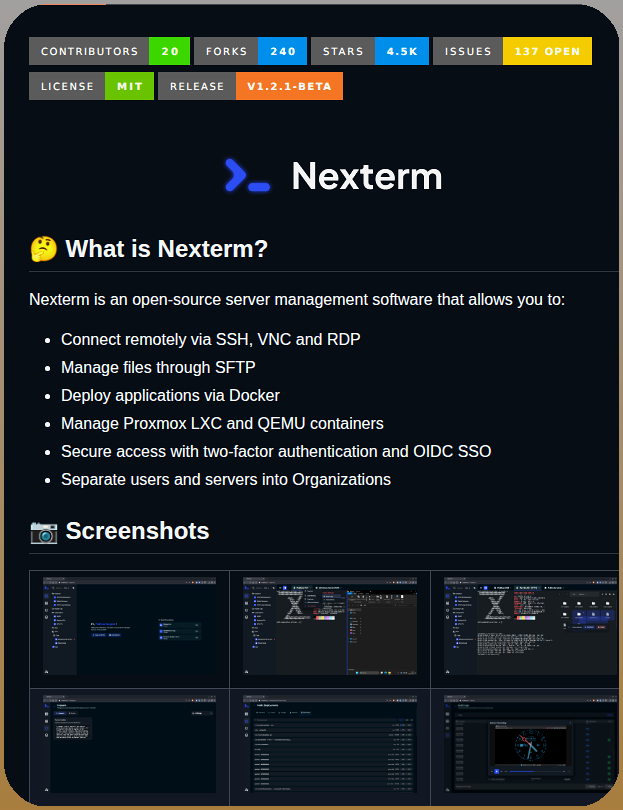
The open‑source project Nexterm was announced on X, offering a single web UI that aggregates SSH, VNC, and RDP sessions while also exposing SFTP file management, Docker deployment, and Proxmox container control Tom Dörr on X.
Unified remote access
Nexterm runs as a self‑hosted service and presents all remote‑desktop protocols behind one login screen. Teams can organize users into groups, assign role‑based permissions, and audit activity from the dashboard. The tool also embeds an SFTP client, making file transfers as simple as clicking a button.
Fits a lean startup stack
Because Nexterm is licensed under an open‑source MIT‑style agreement, there are no per‑seat fees—costs are limited to the infrastructure you provision (a modest VM or a small Kubernetes pod). The Docker‑based deployment means you can spin it up with a single docker run command, and the built‑in Proxmox integration helps teams that already use that hypervisor for sandbox environments.
Caveats to consider
Self‑hosting introduces operational overhead: you must keep the underlying host patched, manage TLS certificates, and monitor resource usage. The project is relatively new, so community support and documentation are still maturing, which can lead to longer onboarding times. Additionally, while role‑based access is supported, the granularity is coarser than some enterprise IAM solutions, potentially generating noise in audit logs.
When to try Nexterm
If your startup already juggles multiple remote‑access tools and wants to reduce context switching without incurring SaaS costs, spin up a test instance on a low‑cost cloud VM and run a few real‑world workflows (e.g., a Docker deploy and a Proxmox container edit). Watch for any latency in protocol translation and verify that the permission model aligns with your security policies before rolling it out to production.
Source: GitHub – Nexterm