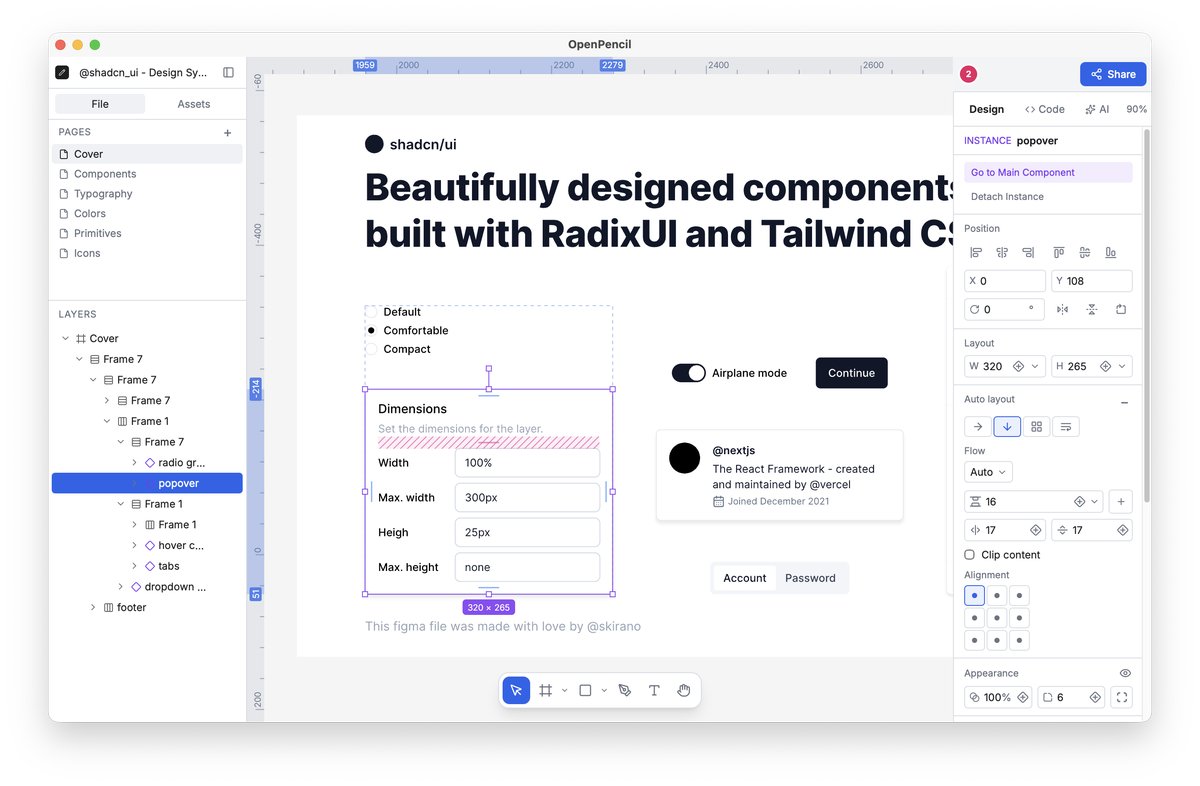
OpenPencil, a roughly 7 MB open‑source design application, just announced a version that can open native Figma .fig files, runs both in a browser and as a native desktop client, and ships with an AI assistant, a CLI, and an MCP server for agents. The announcement was shared in a tweet by the project's maintainer Irfan Mulyana.
What OpenPencil actually does
The app targets the same workflow niche as Figma or Sketch but stays lightweight enough to load instantly in a browser tab. Its built‑in AI can generate design suggestions or copy, but the feature is optional and currently tied to a public inference endpoint that may impose rate limits. The CLI lets you batch‑export assets, run headless renders, or trigger the MCP server to coordinate multiple design agents.
Cost and deployment considerations
OpenPencil is released under an open‑source license and carries no license fee, which aligns with startups that prefer self‑hosted tooling. However, the AI component talks to an external service; if you exceed the free quota you’ll need to provision your own model or pay for usage. The desktop client is packaged with Electron, so the memory footprint is higher than the 7 MB core web bundle.
When it makes sense for a startup
If your product team already uses Figma files and you need a quick way to preview or transform them without a paid SaaS subscription, OpenPencil can be a handy bridge. Its CLI integration also means you can embed asset generation into CI pipelines, saving a manual export step. Teams that value full control over their design stack will appreciate the ability to run the MCP server on their own infra.
Caveats and what to watch
The AI assistant is still experimental and may produce inconsistent results, so treat its output as a draft rather than production‑ready content. The CLI is functional but lacks comprehensive documentation, which could slow adoption. Also, because the desktop build uses Electron, expect higher CPU and RAM usage compared to native design apps.
When to try it – Spin up a local instance on a dev machine, run the CLI to export a few .fig assets, and evaluate the AI's usefulness before integrating it into any automated workflow.